Message parents and staff
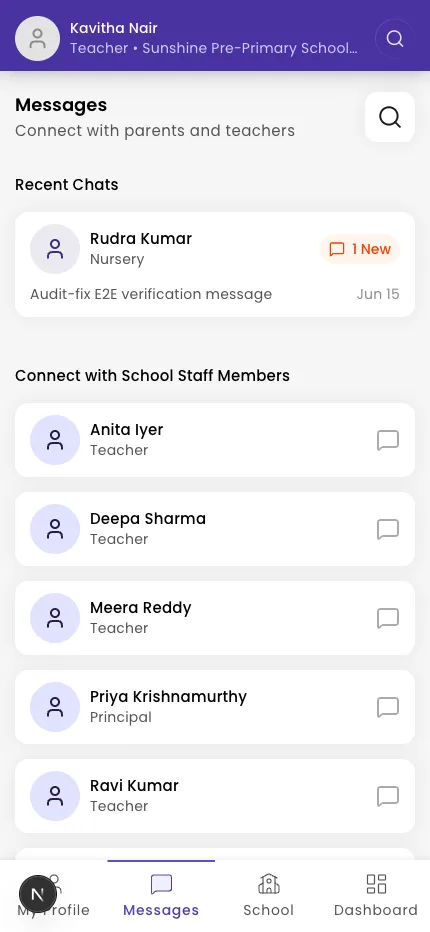
Find a parent, student, or colleague and start a chat from the Messages tab.
Use the Messages tab to reach parents, students, and other staff.
Steps
- Tap Messages in the bottom navigation.
- Open a chat from your recent conversations, or tap the search icon to find someone.
- Filter the results with All, Teachers, Staffs, or Students & Parents.
- Open the contact, type your message in Type a message, and send.
Tip: You can narrow search results with Hide inactive chats & profiles, and (as a teacher) Show only profiles I can contact from my associated classes.
What if it doesn't work?
- Your inbox is empty. You'll see "Inbox is empty" until you start a chat — tap search to find a contact.
- No results. Try a different spelling, or clear the role filter to search All.
Was this helpful?
Related articles
Last updated 2026-06-26