Daily Photos & Videos
Photos and videos your school has reviewed and shared with you.
For parents
Follow school-approved updates, understand your child’s progress and stay in touch with their teachers — in one place.
Your school shares the updates after approving your child’s enrolment.
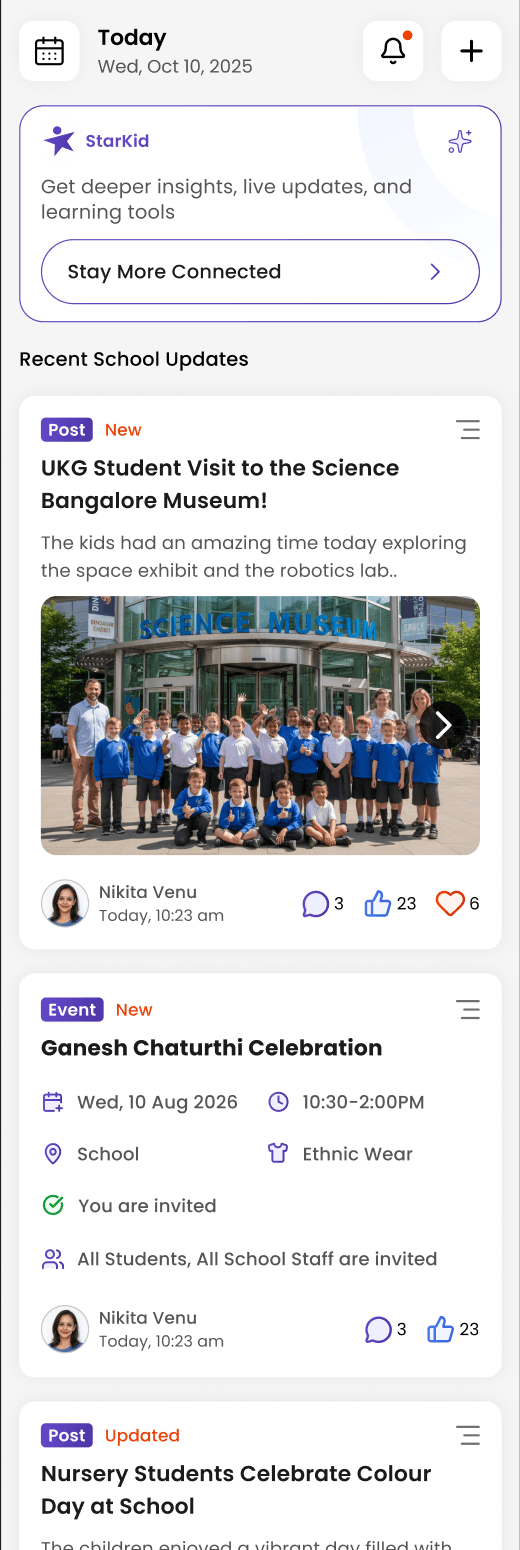
A little closer, every day
Find the information your school shares without piecing it together across different conversations.
Photos and videos your school has reviewed and shared with you.
Keep track of published posts, attendance updates, events and messages.
Know when your child is marked in, and if they're absent or late.
Follow the timetable and apply for leave from the app.
Profile, learning updates and developmental milestones in one place.
Progress across five developmental domains, described in age-appropriate language and supported by teacher observations. The report uses the same domains as the school’s assessment view.
Celebrate your child's developmental milestones with their teachers.
Message the people who teach your child, one-to-one or in a per-child group.
Your school's stories, narrated audio and printables, any time.
Ask your school about the optional year-end memory book, bringing together moments from the school year.
Learning beyond the update
School and parent reports use the same five developmental domains, with language suited to your child’s class.
Getting started
Download the Parent app, then follow the connection details provided by your school.
Use your phone number and the one-time password sent by SMS, then complete your profile.
Add your child, find their school and send an admission request. Your school reviews and approves the connection.
Once approved, view the school’s posts, attendance and messages for your child.
Waiting for approval? Contact your school to check your child’s admission request.
Help when you need it
Practical guides for using the Parent app.
Log in to Starkid with your phone number and the one-time password (OTP) sent over SMS.
Create your child's profile in Starkid. This is the step before enrolling them in a school.
Send an admission request to your child's school. Once the school approves it, you'll see their posts, attendance, and messages.
Reach your child's teachers through the per-child group chat, or message a school admin directly.